Open your package.json. Count the entries under dependencies and devDependencies. Maybe it's 40 packages. Maybe it's 80. This is your direct dependency list — the packages your team deliberately chose to depend on.
Now open package-lock.json and look at the total entry count. On an average Node project you'll see somewhere between 400 and 1,200 packages. That gap — between what you chose and what actually installs — is your transitive dependency surface. It's the part of your codebase that nobody on your team reviewed, nobody approved, and almost nobody monitors.
What "transitive" means in practice
When you add react@18, you're not adding one package. You're adding everything React depends on, and everything those packages depend on, recursively. Each node in that tree carries its own version requirements, license terms, and maintenance commitments. Most of those packages were never evaluated by anyone on your team.
The terminology matters here: a direct dependency is one you declare in your manifest. A transitive dependency — also called an indirect dependency — is anything in the resolved tree that you didn't explicitly declare. In a typical Node project with 60 direct deps, the transitive graph is 10–20x larger. In a monorepo with multiple workspace packages sharing dependencies, the resolved graph can easily reach several thousand nodes. The lockfile encodes the full graph. The manifest encodes only one layer of it.
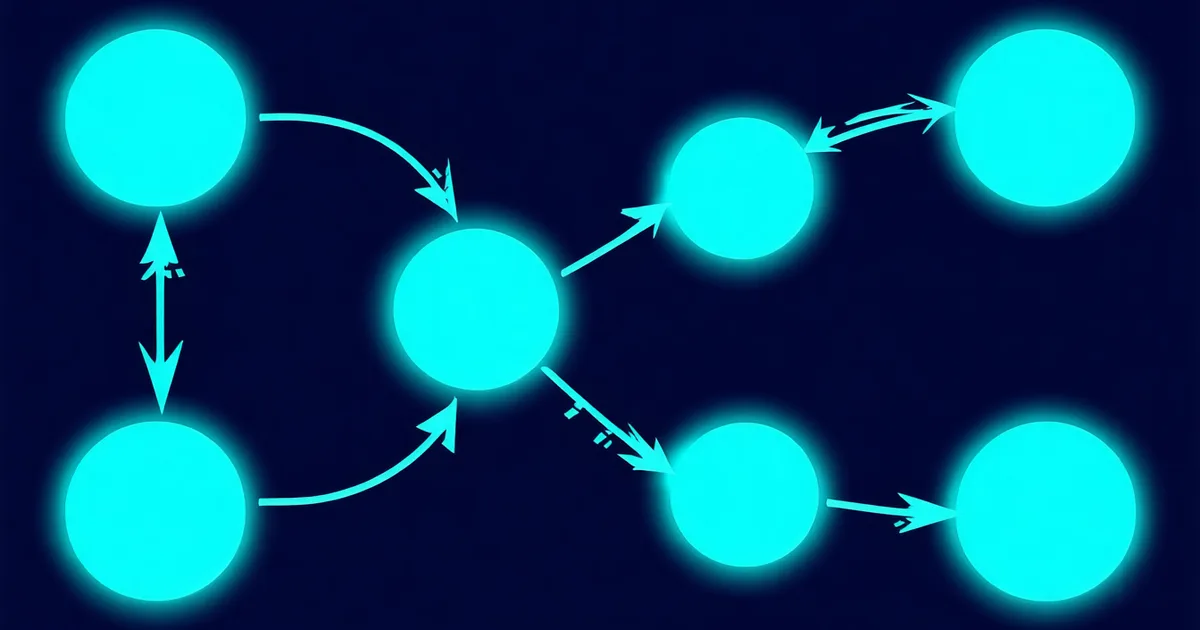
Your package.json shows you the edge list. The lockfile shows you the full graph. Most teams look at one and ignore the other — then spend two days tracing a production incident back to a package they never knowingly added.
Why npm audit misses the real problems
npm audit is a CVE lookup tool. It's useful, and it's not what we're talking about replacing. But it has a scope that teams routinely over-trust: it checks your resolved packages against a database of known vulnerabilities. It doesn't resolve version constraints ahead of time. It doesn't flag license changes. It doesn't score maintainer health. It doesn't identify the version conflicts that will surface at runtime but not during install.
The incidents that actually wake engineers up at 3am tend to come from three patterns that npm audit doesn't detect:
- Peer dependency conflicts. Two of your direct deps require different version ranges of the same transitive package. npm's hoisting algorithm picks one version and installs the other as a nested duplicate inside the requiring package's
node_modules. Sometimes that works. Sometimes the two instances maintain separate state — singleton patterns, class identity checks, event emitter registries — and you get runtime failures that only appear under specific code paths or under production load. - License drift in transitive packages. A package three levels deep changes from MIT to AGPL-3.0 in a minor release. Your lockfile pins a caret range. On the next
npm install, you upgrade into the new license without anyone noticing. The CI pipeline turns green. The AGPL code is now in your closed-source SaaS. - Abandoned maintainers in critical positions. A transitive package processing auth tokens or parsing user input hasn't had a commit in 14 months. Its bus factor is 1. When a CVE lands, there's no one to patch it — and you have hours to migrate, not weeks.
Resolution strategies and why they matter
When npm, yarn, or pnpm resolves your dependency tree, it follows a resolution strategy to decide which version of a package satisfies all the constraints imposed by your direct and transitive deps. The behavioral differences between package managers are non-trivial here.
npm v7+ hoists to a flat node_modules where possible and installs nested duplicates only for hard conflicts. Yarn v1 follows a similar hoisting algorithm but with different deduplication behavior for caret ranges. pnpm uses a content-addressable store with symlinked node_modules, which makes duplicate versions explicit in the filesystem rather than hidden — an architecture choice that surfaces conflicts that npm silently resolves. If you're using yarn workspaces, workspace hoisting adds another layer: shared transitive deps bubble up to the root node_modules, and a constraint from one workspace package can affect resolution across all of them.
The core problem across all three is the same: version constraints from multiple paths in the graph have to be satisfied simultaneously, and when they can't be, the package manager makes a silent judgment call. Understanding the resolution strategy you're running determines whether a peer dependency conflict surfaces as an install error, a warning that scrolls past, or a runtime exception that only fires in production.
What depth-first graph traversal actually catches
Consider a scenario that comes up often in growing codebases: you bump @acme/data-router from 3.4.1 to 3.5.0 — a minor version upgrade, should be safe. The CI passes. Two weeks later, a teammate reports intermittent JWT validation failures in staging. After two days of investigation, the root cause: @acme/[email protected] updated its own dependency on xml-parse-lite from ^2.8 to ^3.1. The 3.1.x release of xml-parse-lite changed how it handles malformed XML tokens. The original lockfile entry for xml-parse-lite had been 2.9.4. After the bump, it resolved to 3.1.2. The lockfile diff had the change documented on line 847. Nobody read it.
When you resolve the full dependency tree and analyze each node, you can answer questions that direct-dep scanning can't:
- Which of my direct deps is responsible for pulling in
[email protected]? - Do any of my direct deps impose conflicting version requirements on the same transitive package — a conflict that won't show up until runtime?
- Did the minor version bump I made to
@acme/data-routerpull in a package whose license changed from MIT to AGPL-3.0 in a recent release? - If I upgrade
react-queryfrom^4.2.0to^4.3.0, does that create a peer dep conflict with anything already in the resolved graph?
These questions require traversing the graph — following every edge recursively from your direct deps to the leaf packages. The answer to "is this dependency safe?" lives in the lockfile, not the manifest. Reading the manifest and calling it done is like reviewing a pull request by looking only at the file names changed.
The practical gap: why manual analysis doesn't scale
Two days debugging. That's the median time engineers report when tracing a production incident to a transitive dependency conflict. The lockfile had the problem documented the entire time — nobody had read it with those eyes.
We're not suggesting that reading lockfile diffs manually is practical at scale. A lockfile for a monorepo with 30 workspace packages can have tens of thousands of lines. The point is that the information exists, and the only question is whether you extract it automatically or discover it through incidents.
The solution that works in practice is wiring graph analysis into the PR workflow: run automatically when anyone touches a manifest or lockfile, surface findings as inline annotations on the diff, block merge on critical violations while the context is still open. The engineer who introduced the dep change sees exactly what they introduced, with the ancestry path that explains why a specific transitive package changed. No Jira ticket. No three-week delay between introduction and detection.
What to look for in your own tree right now
If you want a quick read on your transitive risk without additional tooling:
- Run
npm ls --all 2>/dev/null | wc -l. If the count is more than 10x your direct dep count, your transitive surface is large enough to warrant systematic monitoring rather than ad-hoc audits. - Check your lockfile for packages you don't recognize in the top 50 entries sorted by most recent version bump. A registry lookup on those packages — contributor count, last publish date, weekly downloads trend — is usually revealing in under 20 minutes.
- Look for packages appearing at multiple version entries in your lockfile. When the same package name appears with two different resolved versions, you have a conflict that npm resolved by duplication. It may be fine. It may not be. You should know which.
These manual checks tell you whether you have a problem. Automated graph analysis on every PR tells you when a problem is introduced — which is the only point where fixing it is cheap and context is still fresh.
Depswright resolves your full transitive graph on every scan. Try it free — 3 repos, unlimited scans.